

Extension of a study right
|
Please note this before submitting an application:
|
Contents
- Notification on the ending of your study right
- Finalising your study plan before the application
- Scheduling your courses
- Application for extension of your study right
*****
Notification on the ending of your study right
If your study right is ending during the current semester, an info box is visible on the frontpage of Sisu containing the text: “If you are unable to graduate before your study right expires, you must apply for an extension. Also make sure you have time to have your graduation processed.” You can submit an application by clicking "Apply for an extension".

Finalising your study plan before the application
In order for you to be able to make an extension application, your study plan must be in order and any uncompleted courses must be timed. All sections of your study plan have to be in the status Selections made.
If this is not the case, Sisu will direct you to first finish your plan:
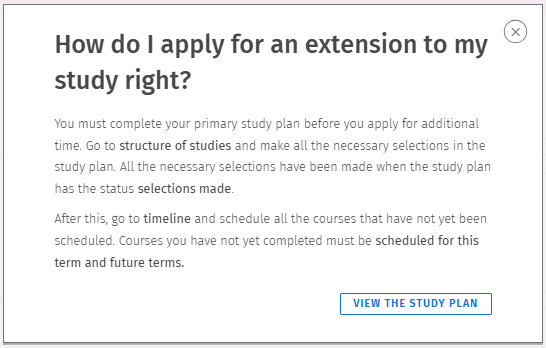
- Check that each module or heading has the status Selections made.
- If you have study drafts in your study plan, they need to be approved in a module or have the status Approval requested.
Please see further instructions about the study plan in Sisu here. Opens in new window
Scheduling your courses
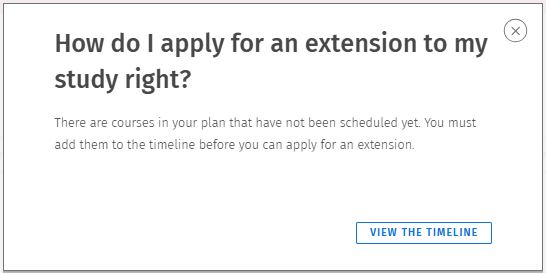
The application for an extension requires that all studies are added to your timeline. Study drafts also need to be scheduled in the same way as other courses. Courses which have not been scheduled, need to be added to the timeline in the current or future periods as Sisu will not allow for uncompleted courses being scheduled in the past.
If you have not scheduled all your courses, Sisu will ask you to do so. Click on "View the timeline" to go to the timeline and schedule your courses.
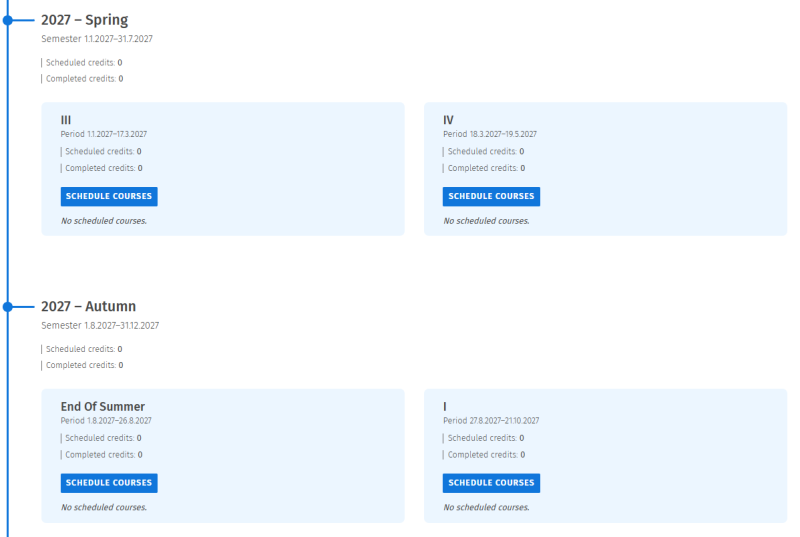
The timeline will show your courses in the period they've been completed. You should now schedule the studies you have left in a realistic way for the coming periods/semesters. Hanken does not use any timing templates yet, which means you need to time the studies manually.
- Click on "Schedule courses" for the specific period you wish to add courses to.
- Schedule the specific courses you plan to take during that period by either choosing them from the list or by searching for them by the course name or code. Remember to save your choices.
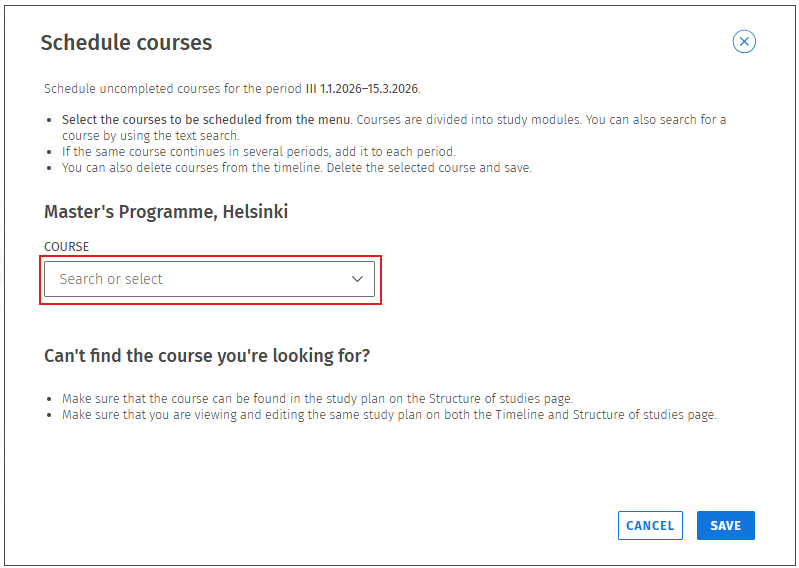
- Make sure to schedule all courses on the list. Please remember that you should not place them in the past. Sisu will give you an error message at the extension application if you do so.
Application for extension of your study right
Once your study plan and its schedule are in order (ie. the steps above), you can submit an application for extension of the study right in Sisu. Please note that you need to pay a processing fee of 50 euros for your application. The payment is made through Sisu when filling in the application. You can open an application either from the info box on Sisu’s frontpage or from the study right information on the My profile page.

On the top of the application, you will see information regarding your study right. You will also find a link to more detailed terms and conditions regarding the application processing fee.
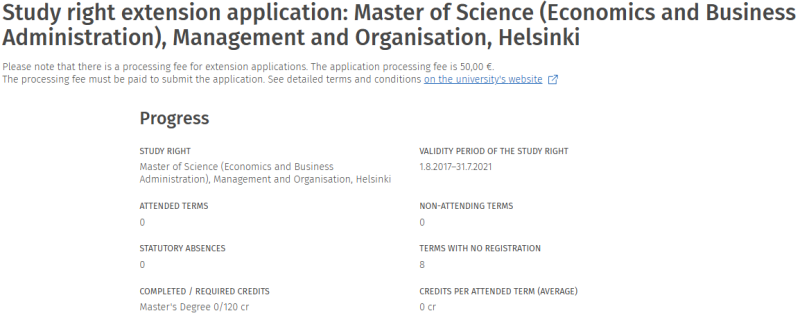
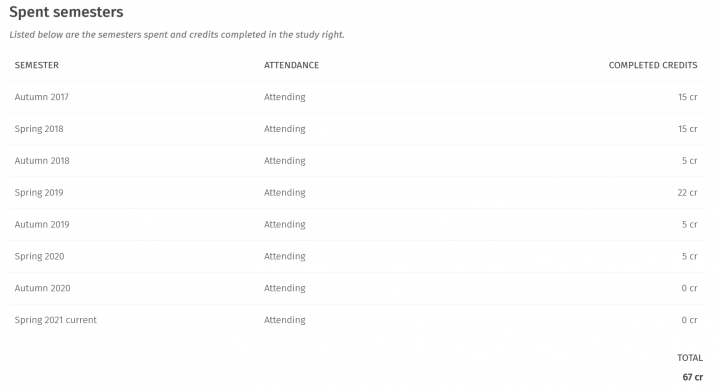
After your study right information, the application lists previous semesters, their attendance information and your completed credits.
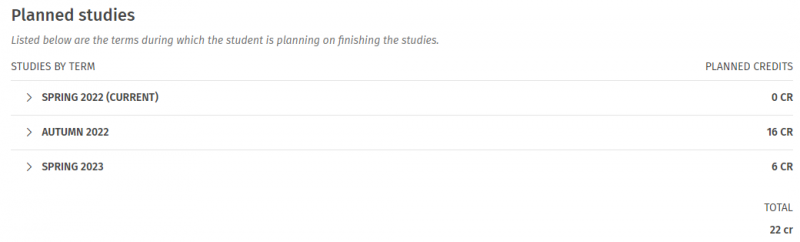
In the planned studies, you can see your scheduled studies by semesters. You can view all courses planned for a semester by clicking the semester. Study drafts have the text 'study draft' instead of a course code.
You can apply for an extension for one to four semesters at a time. Apply for an extension based on how many semesters you have planned your studies for. Finally, provide additional information about the reasons for the delay of your studies and how you are planning to finish the studies. What additional information needs to be provided on the application depends on how many times you have applied for an extension already.
You can find more information on the amount of the extension and acceptable reasons on this page Opens in new window .
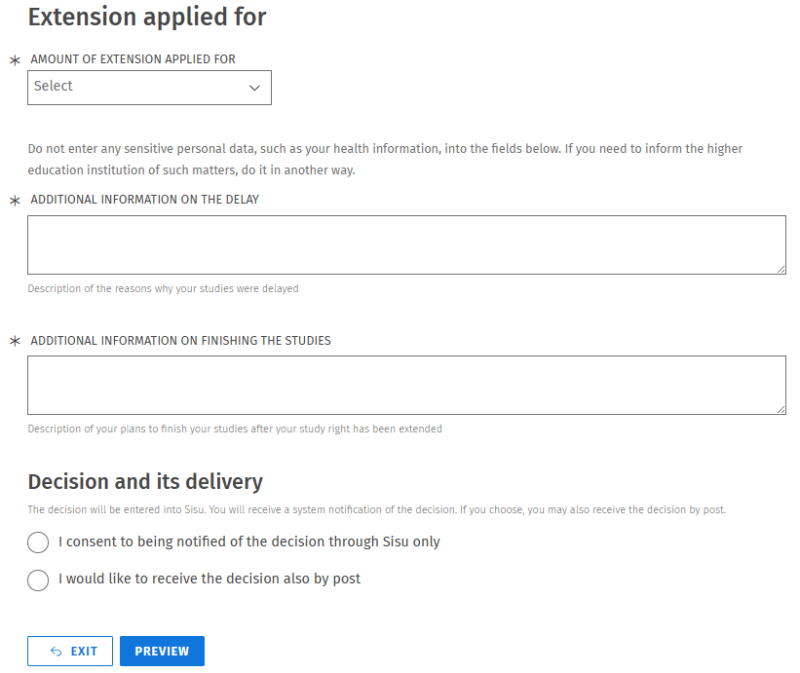
Choose that you want to be notified of the decision through Sisu only. We do not send the decisions by post. Click on Preview to review the information you have provided. Once you have reviewed your information, please click on Continue.
On the following page, you will be asked to give details regarding the payer of the processing fee. This information is needed to identify the payment and send out a receipt for the transaction.
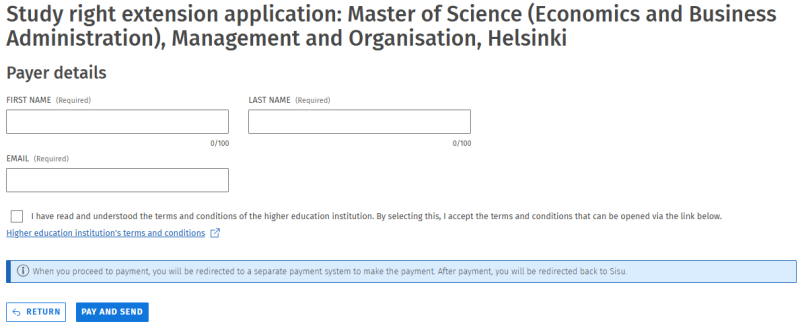
By clicking on Pay and send, you will be directed to the payment service where the payment can be made using various different methods. You will automatically be redirected back to Sisu once the payment has been completed. If the payment is successful, you will be able to send in your application for extension. If the payment is unsuccessful, you must redo the application process. The application cannot be sent without paying the application processing fee.
You will get a notification of the decision on your application in Sisu. All your applications and the decisions can be found under your profile on the tab Applications and decisions.